“Reckless Imprudence Resulting to Homicide”: Case Filed By NBI Christine Dacera Case was resumed due to additional evidence found and Medical Results. Reckless Imprudence Resulting in Homicide “ You did not intend to kill anybody but your omission to give the proper prudence and diligence, but failed to show diligence and prudence and they are liable to the law. Rape was not proved as the result found that laceration was old healed laceration. The following Cases Filed and Names Included as Presented by NBI during the press conference: 1) Administering illegal drugs against M. Rosales 2)Attempt to deliver drugs against M. Rosales and R. Galido. Perjury 1)R. Galido 2)JP Dela Cerna 3)D. Macala Obstruction of Justice 1)M. Rosales 2)R. Galido 3)JP Dela Cerna 4)G. De Guzman 5)J. Rafinan 6)Va. Rosales 7)R. Ingles 8)D. Macala 9)Atty. N. Maroto Reckless Imprudence Resulting in Homicide 1)JP dela Cerna 2)J. Rafinan 3)V. Rosales 4)L. De Lima Falcification of Official Documents by a Public Officer Against Police Major M. Sarmiento The following information are from the live press conference.
May 13, 2019 Senatorial Candidates
Everyone has the right to choose leaders who they wanted to win. Finding the right one for the position is really a must. May everyone choose them base on what they can do and had done for the people, masses and communities not only based on their popularity. Choose and pray for it. Vote WISELY.
The certified list of candidates for senator was contained in a memo addressed by Comelec Law Department head Maria Norina Tangaro Casingal to Comelec Spokesperson James Jimenez.
ABEJO, VANGIE
AFUANG, ABNER
AGUILAR, FREDDIE
ALBANI, SHARIFF
ALEJANO, GARY
ALFAJORA, RICHAR
DALUNAN, RAFFY
ANGARA, EDGARDO SONNY
AQUINO, BENIGNO BAM
ARCEGA, GERALD
ARELLANO, ERNESTO
ARIAS, MARCELINO
AUSTRIA, BERNARD
BALDEVARONA, BALDE
BINAY, NANCY
BONG REVILLA, RAMON JR
CACERES, JESUS
CASIÑO, TOTI
CAYETANO, PIA
CHAVEZ, MELCHOR
CHONG, GLENN
COLMENARES, NERI
DE GUZMAN, KA LEODY
DELA ROSA, BATO
DIOKNO, CHEL
EJERCITO, ESTRADA JV
ENRILE, JUAN PONCE
ESCUDERO, AGNES
ESTRADA, JINGGOY
FRANCISCO, ELMER
GADDI, CHARLIE
GADON, LARRY
GENEROSO, GEN PEDERALISMO
GO, BONG
GUIGAYUMA, JUNBERT
GUTOC, SAMIRA
HILBAY, PILO
JANGAO, BFG ABRAHAM
JAVELLANA, RJ
LAPID, LITO
MACALINTAL, MACAROMY
MALLILLIN, EMILY
MANGONDATO, FAISAL
MANGUDADATU,DONG
MANICAD, JIGGY
MARCOS, IMEE
MATULA, JOSE SONNY
MENIANO, LUTHER
MONTAÑO, ALLAN
NALLIW, JOAN SHEELA
HONG, DOC WILLIE
OSMEÑA, SERGE
PADILLA, DADO
PIMENTEL, KOKO
POE, GRACE
ROLEDA, DAN KAIBIGAN
ROQUE, HARRY “SPOX”
ROXAS, MAR
SAHIDULLA, LADY ANN
TAÑADA, LORENZO
TAPAT, ERIN
How to create GCash Account
GCash saves your day. Do you already have a gcash account? If not,here is a very simple way to have. Just follow the intructions.
1) Be sure to have a TM or touch mobile sim or Globe Sim card either a prepaid or postpaid.
2) Insert your simcard. This is for you to verify your registration later.
3) Download the gcash application.
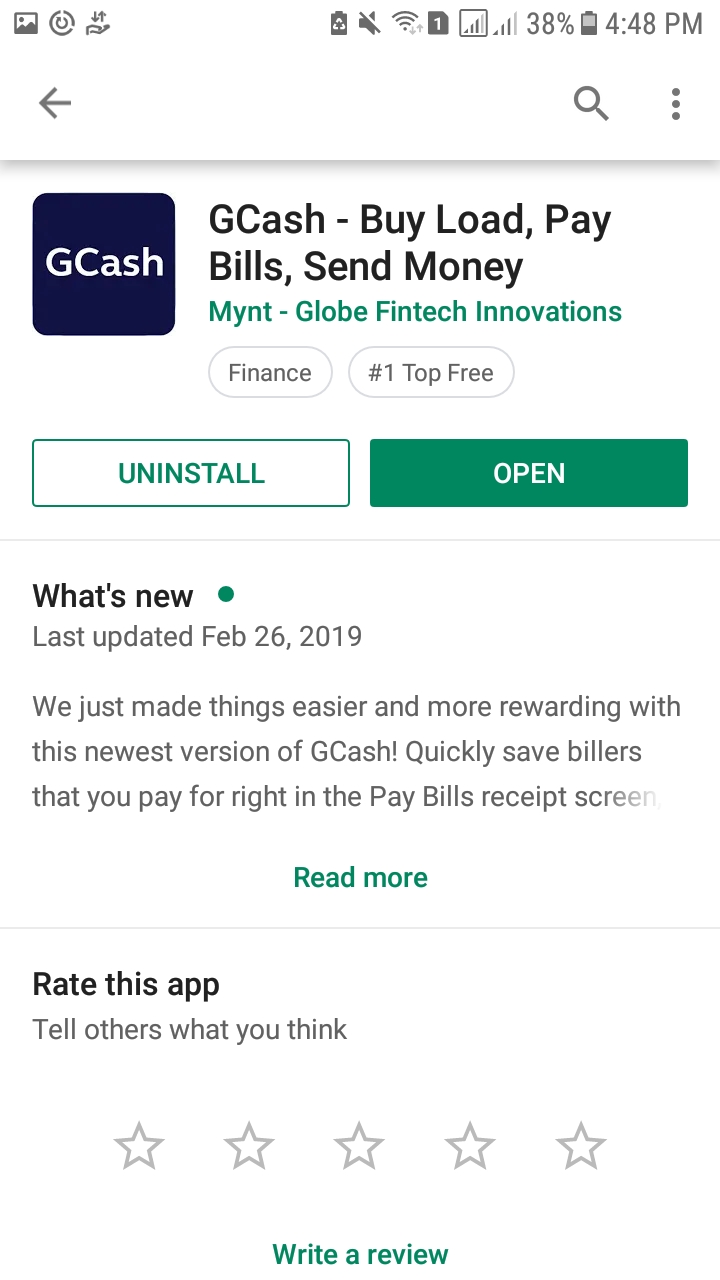
4) Open the application. When you see the photo below, just type the sim card number you want to register on gcash. See the example below.


5) Just click NEXT. After that you will receive your code thru text or sms.
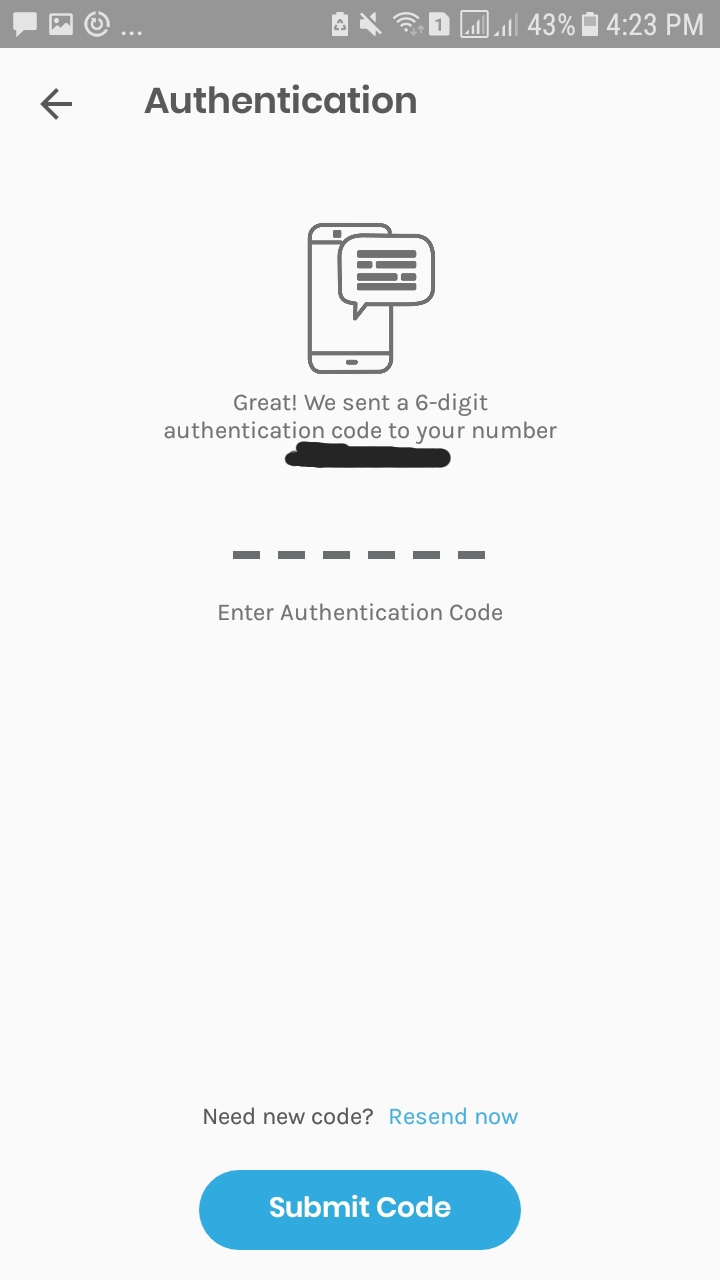
6) After you received the code, type the code the click SUBMIT CODE.7) Just wait while gcash process it for just a few minutes. After that gcash will open with your name on the top like the arrow is pointing to in the photo.

8) Your number at the bottom of your name.

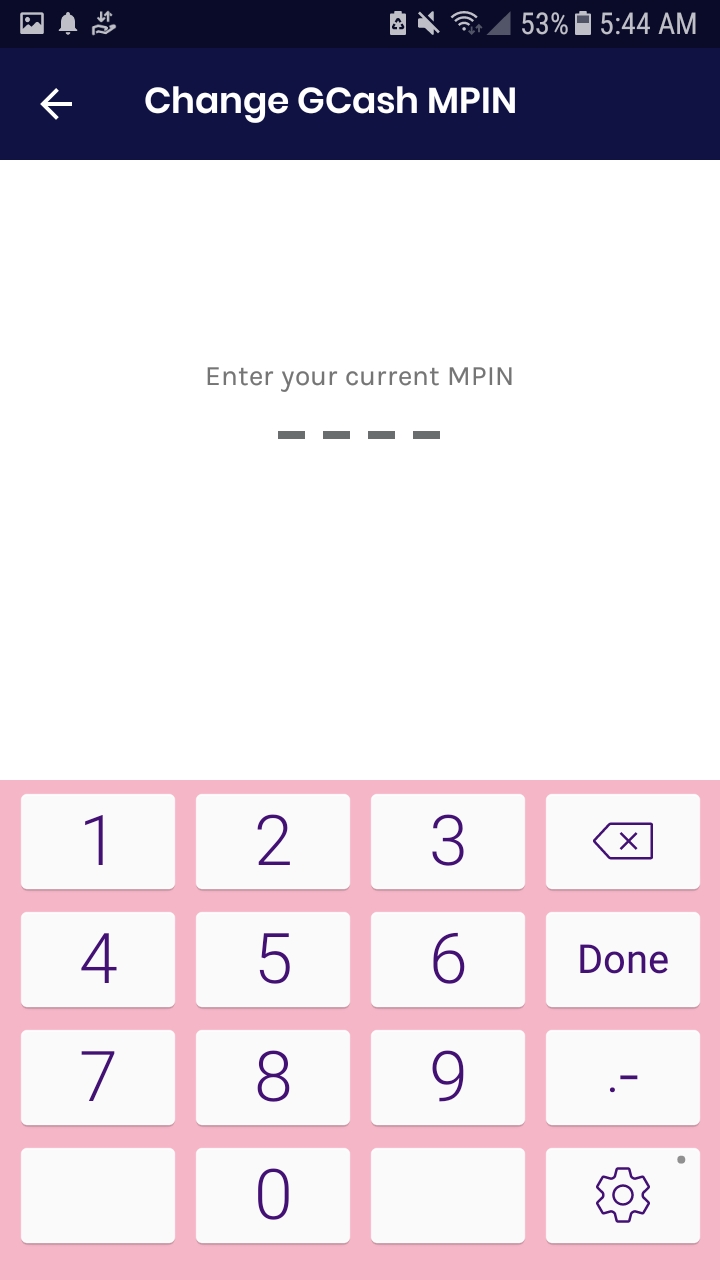
9) You will be given a temporary Gcash MPIN. This is a 4digit number you will use to access your gcash account or application. This is very important so NEVER share it to anyone. Change your temporary GCash MPIN with number you could easily remember but hard to guess by others. A piece of advise, please do not use your birthdate. To change your GCash MPIN, log in to the app using our temporary GCash MPIN. In the side menu, go to Settings then click Change GCash MPIN. See photo below.



Note guys:
Please do not forget to keep your pin code private. Never share it to anyone.
There you go guys. You already created your gcash account.
How to use your GCash Credit??!!
Hi guys. You may also want to know what is this GCash Credit. It is like a credit card that you can use when purchasing on department store specially when you run out of cash on your wallet.Anyways heres how I got one.
First guys, GCash Credit is only allowed for those with fully verified account. That means make sure to register your account and get it fully verified first. Next thing is that you should earn first the qualified GScore for you to be allowed for GCredit. As for my experience, I got 415 Gscore before I was allowed for my GCredit application. GScore was earned through purchasing load for any networks,paying bills and using the gcash app scan and pay on gcash merchants. Here is the sample GScore photo.
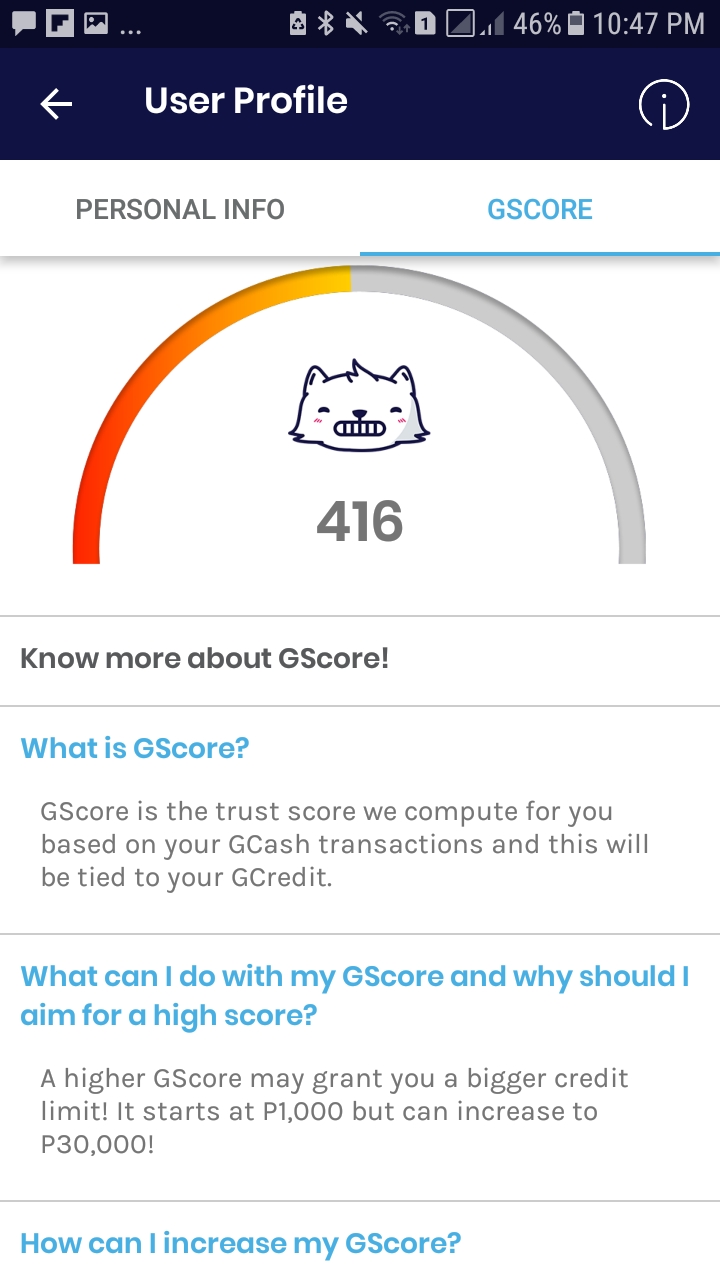
You will receive a text message from GCash that you are approved for GCash Credit. Another is an e mail from GCash for your approved credit limit together with your billing date. So here guys based on my GScore 415 that time, I was given a 1000 CL or Credit Limit. Meaning to say I can start spending lower but not higher than 1000. It may be a low credit limit this time, yet according to GCash it may get higher for up to 30000 Credit Limit for as long as you are a good payer or those that pay earlier than your due date. Other than that is you have to increase your GScore to gain higher Credit limit.
You may now use your GCash Credit. Take note guys, you may only use your GCash Credit on selected GCash Merchants. You may ask more of that by calling 2882.
Now I’m gonna show you an example of my GCash Credit transaction.My Credit Limit is 1000. I already used 170.75 of my gcash credit before. For now I will show you a photo of my next transaction. Here how it goes.
1)Go to your GCash app and Click Pay QR.
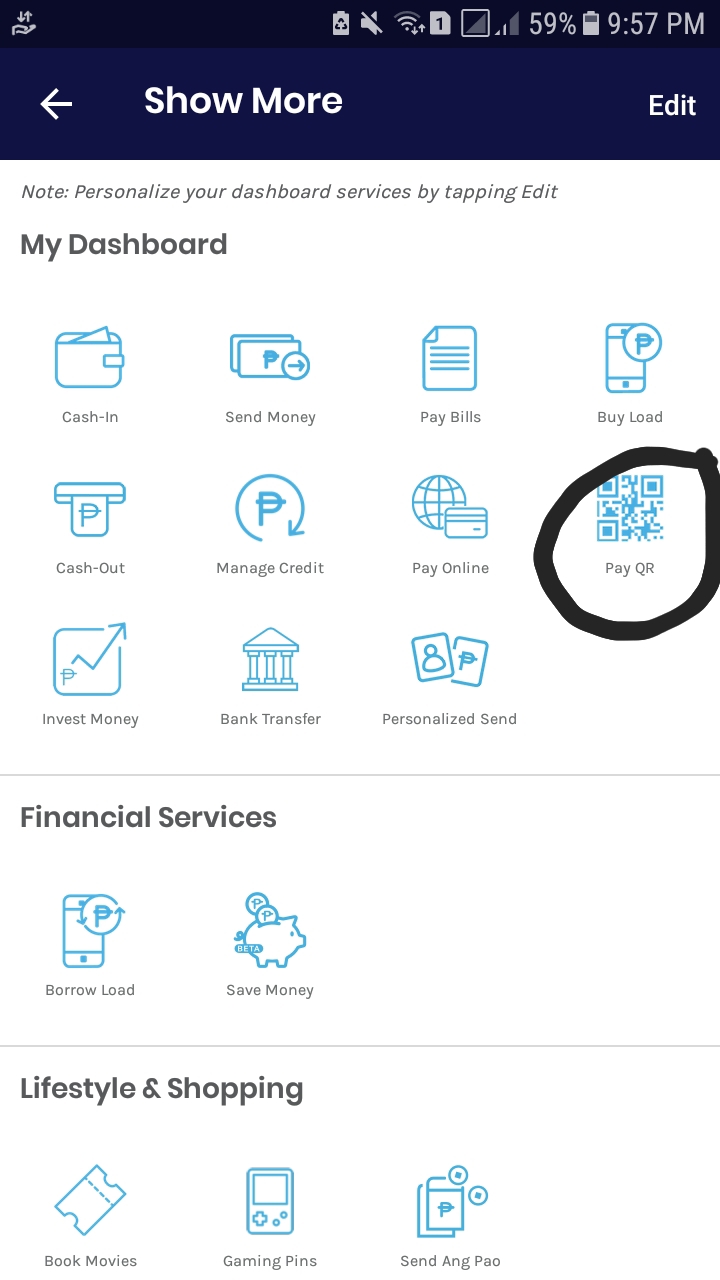
2) You will see a photo just like my example. Choose the one with arrow.

3) After choosing the scan qr, just face the scnner on the GCash QR code of your selected merchant just like the example below.

4)After the successful scan, wait until it show this photo where you are going to input the amount you are going to pay. In my example, I just use 10 just to show you how it works.

5)After typing the amount just click NEXT to proceed. You will then see this photo which in my example has an option of how you will pay it. One is thru GCash and the other is GCredit. Choose GCredit and click pay now.

6)After a successful transaction, you will receive a receipt just like the photo which you can download by clicking the upper right side of the receipt. Another is a confirmation text from GCash Credit. You may also check it on manage credit by clicking the transactions.

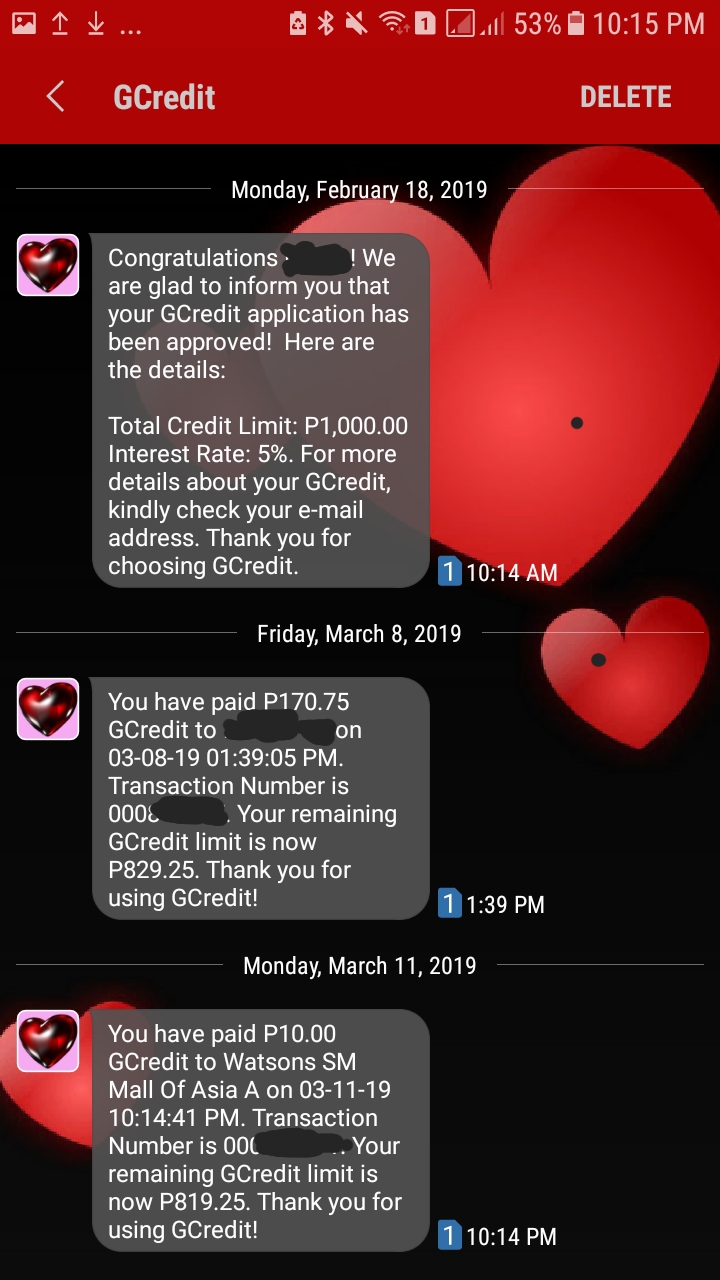

That’s it guys. Just feel free to leave comment guys. Thank you for reading.
The Journey Begins
Thanks for joining me!
Good company in a journey makes the way seem shorter. — Izaak Walton


